Gemini Safari extension for Mac
Gemini in Safari, without switching browsers.
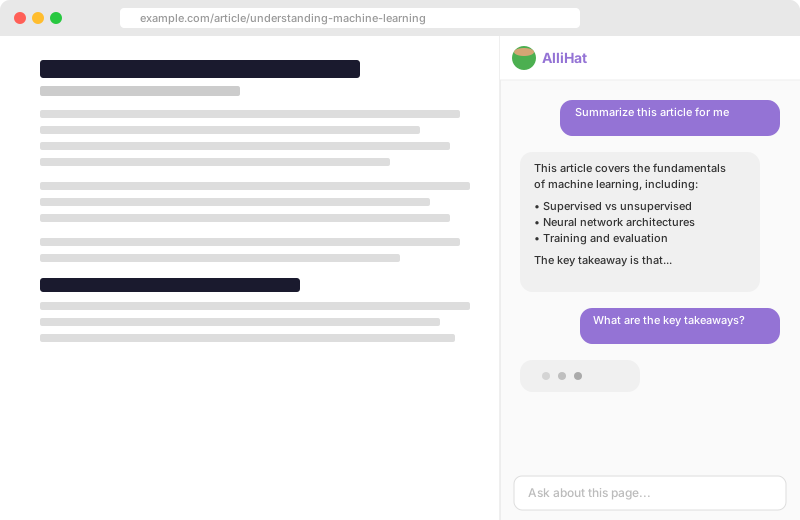
AlliHat puts Gemini in a sidebar beside the page you are viewing. Ask about the page, explain selected text, or let Gemini click, fill forms, scroll, and navigate in Safari.

$29.99/year after trial · macOS 14+ · Bring your own Gemini API key
Gemini in Chrome
Google's browser experience.
Gemini in Chrome can use open tabs as context and help with browsing tasks. Google makes it part of Chrome on desktop, not desktop Safari.
Gemini in AlliHat
The Safari version of that idea.
AlliHat gives Gemini the current page or selected text in Safari and can take browser actions when you ask. No browser switch required.
AlliHat is independent software and is not affiliated with Google. See Google's official page for Gemini in Chrome.
Gemini works where you are already reading.
No new tab. No copying the page into another app.
Understand
Ask about any page
Get the gist of a long article, pull facts from a dense page, compare what you are reading, or ask a follow-up without leaving Safari.
Focus
Explain exactly this
Highlight the sentence, code block, table, or paragraph you care about. Send that selection to Gemini instead of explaining where it came from.
Do
Turn a request into clicks
Agent Mode lets Gemini click buttons, fill fields, scroll through pages, and navigate while you stay in control.
Setup
From Google AI Studio to Safari in three steps.
-
1
Install AlliHat. Get it from the Mac App Store, then enable the extension in Safari settings.
-
2
Create a Gemini API key. Open Google AI Studio and create a key for AlliHat.
-
3
Choose Gemini. Open AlliHat settings, select Gemini, paste the key, and start asking about Safari pages.
Direct by design
Your key stays on your Mac.
Your Gemini API key is stored in Safari's local extension storage. When you use Gemini, page context and conversations go directly from Safari to Google's API. AlliHat does not run an account or server in the middle.
Common questions
Does Google offer a Gemini Safari extension?
Google offers Gemini in Chrome, but its official browser assistant is not built into desktop Safari. AlliHat brings Gemini to a Safari sidebar on Mac using your Gemini API key.
Can Gemini read the current Safari page?
With AlliHat enabled, yes. Open the sidebar and ask about the page you are viewing, or highlight text and send that selection to Gemini.
Can Gemini act on websites in Safari?
Yes. AlliHat Agent Mode can use Gemini to click buttons, fill fields, scroll, and navigate while you watch.
Where do I get a Gemini API key?
Create one in Google AI Studio, then paste it into AlliHat settings after choosing Gemini. Your key stays in Safari's local extension storage.
Does AlliHat work on iPhone or iPad?
No. AlliHat is a Mac app for Safari. It requires macOS 12 or later and Safari 16 or later.
Can I still use Claude, ChatGPT, or OpenRouter?
Yes. AlliHat also supports Claude, ChatGPT, OpenRouter Auto, and Apple's on-device model. You choose the provider in settings.
Gemini beside every Safari page.
$29.99 a year after a 7-day trial · Bring your own Gemini API key