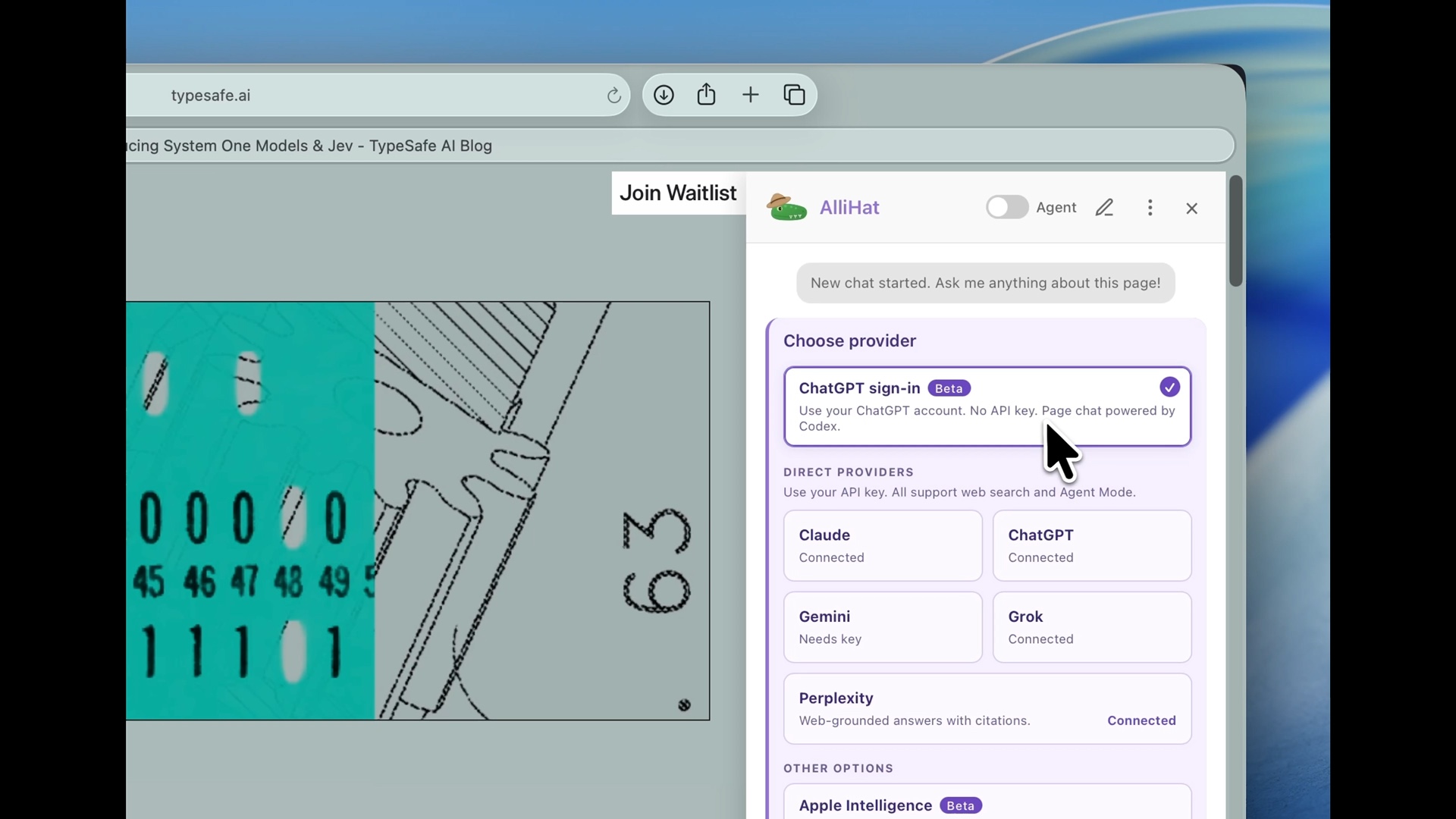
All the AI choices are visible when you open the model picker. Pick Claude, ChatGPT, or another option without digging through settings. On supported Macs, new installs start with Apple's on-device AI. Your existing choice stays as it is.
You can now sign in to ChatGPT from AlliHat and ask about the page you're reading. No API key to find or paste. Your ChatGPT plan's access and limits apply. See how to connect ChatGPT.
From the September launch demo. The Beta label was removed in 3.2.9.
Choose OpenRouter Free to ask about pages and summarize what you're reading using free models. It has usage limits and doesn't include web search or Agent Mode. AlliHat's subscription still applies. OpenRouter Auto is still available for paid use. More about OpenRouter in Safari.
OpenRouter is now an option in AlliHat. Connect your account in the browser, then come back to Safari and ask about the page. Auto can choose a model for your request, with routing controls if you want more say in the choice.
Chat history now has search. Type something you remember from a conversation, even if it wasn't in the title. AlliHat searches the messages too and shows a matching excerpt so you can find your way back.
Agent Mode used to stop after a fixed number of steps, even when it was making progress. It now has more room to finish longer jobs, like working through a shopping list. If it gets stuck, it still stops.
When you open a PDF in Safari, AlliHat can send the actual document to Claude, ChatGPT, or Gemini so they can read it directly. YouTube summaries also handle a transcript that needs another try to load, instead of giving up immediately. How to summarize a PDF in Safari.How to summarize a YouTube video in Safari.
ChatGPT and Gemini joined Claude in the Safari sidebar, using your own API key. We also added Apple's on-device AI on supported Macs, so you can get started without setting up an AI account.
Select text on a page and right-click to explain it, summarize it, or find synonyms. You can also highlight a passage and click the AlliHat toolbar button to bring it into the sidebar.
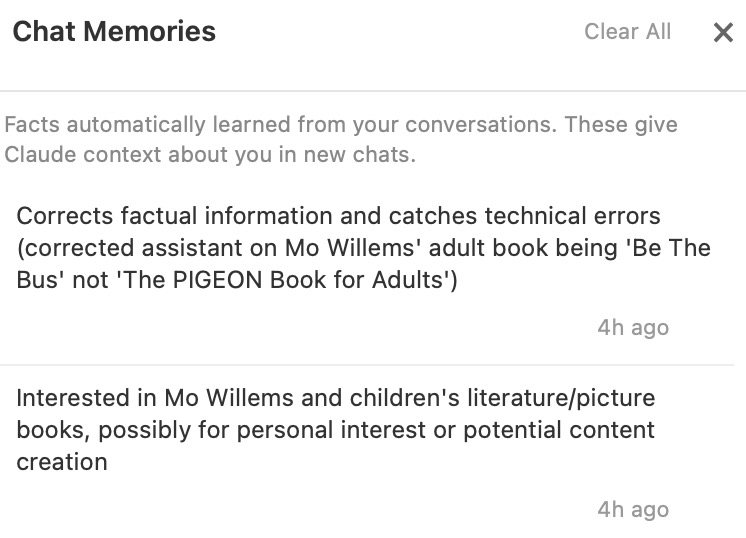
AlliHat can remember useful details from your conversations and use them in new chats. You can see what it remembered in Chat Memories, delete individual items, or clear the list.
The original Chat Memories panel.
Something you'd like to see? Tell me about it. Nate, maker of AlliHat