How to summarize a webpage in Safari with ChatGPT.
Get the main finding, the evidence, and what's still uncertain. Ask a follow-up. Save your prompt for the next page.
A short demo, then the steps.
To summarize a webpage with ChatGPT in Safari: open the page, open AlliHat's sidebar, and send a summary prompt. The response stays beside the article. You can ask a follow-up without copying the page into another tab.
This walkthrough uses two public NASA articles. The same saved instructions produce a different summary on each page. Agent Mode is off throughout.
First, try Safari's built-in summary if it meets your needs.
On a compatible Mac with Apple Intelligence enabled, Safari can summarize supported webpages. Open the Page menu beside the address and choose Summarize. Availability depends on your Mac, software, language, region, and the page. Apple's instructions explain the requirements and steps.
AlliHat gives you a ChatGPT conversation beside the page: choose the summary format, ask follow-up questions, and save instructions as a favorite. You do not need to switch the page into Reader mode for the workflow below.
1. Open an article and connect ChatGPT.
Install AlliHat for Mac. In Safari Settings, open Extensions and enable AlliHat. Allow access on the website you want to summarize, then click the AlliHat toolbar button.
Choose ChatGPT sign-in in AlliHat's model picker and connect your account. No API key is needed for this option. Your questions and page content are sent to OpenAI; your ChatGPT account limits and AlliHat subscription are separate. The ChatGPT Safari setup guide covers the connection steps.
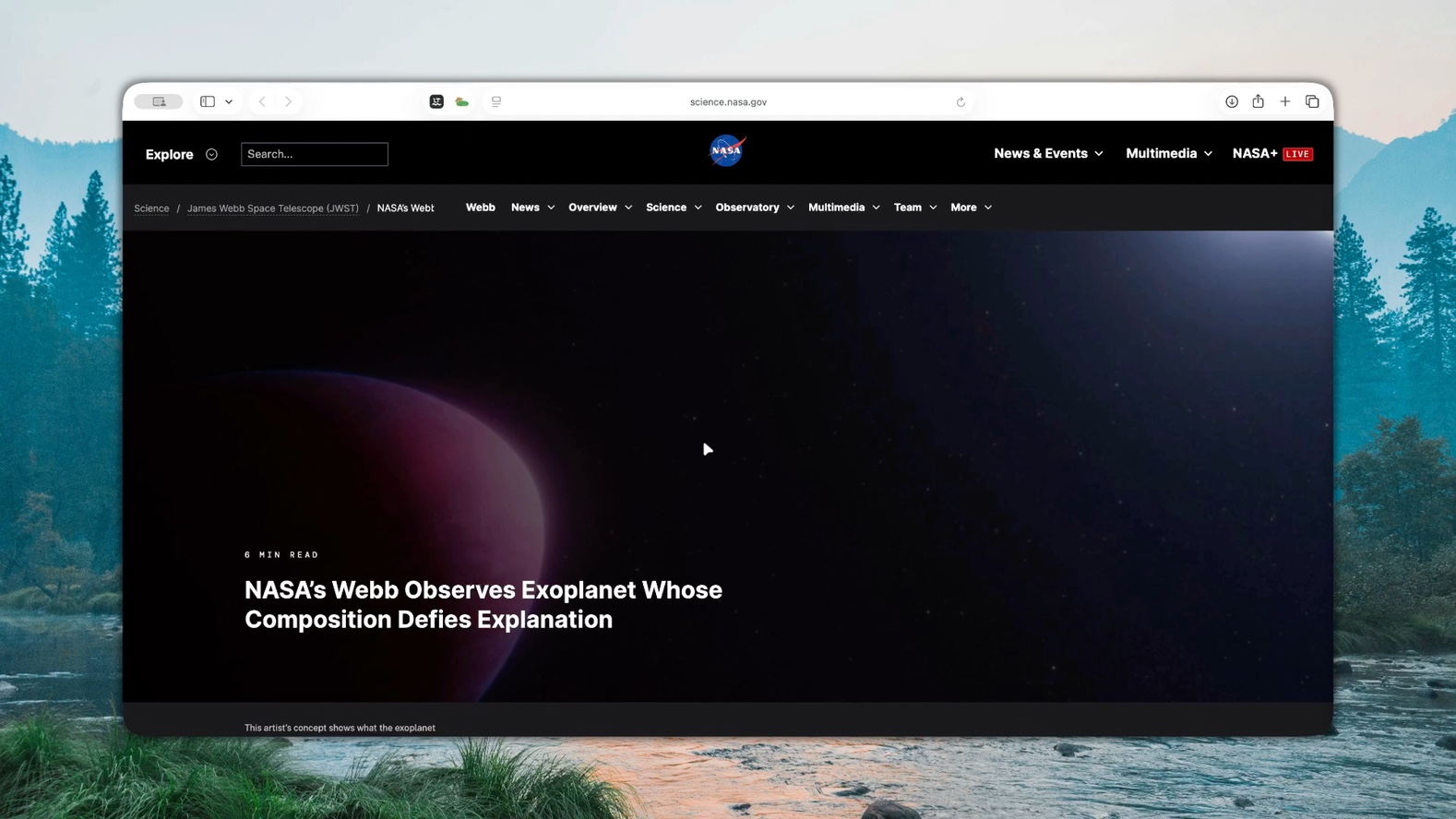
Here we open NASA's article about an unusual exoplanet atmosphere.
2. Ask for the summary you actually need.
Instead of a generic summary, specify the structure. These instructions keep the answer short and ask the AI to distinguish the finding from the evidence and uncertainty.
Copy this reusable summary prompt
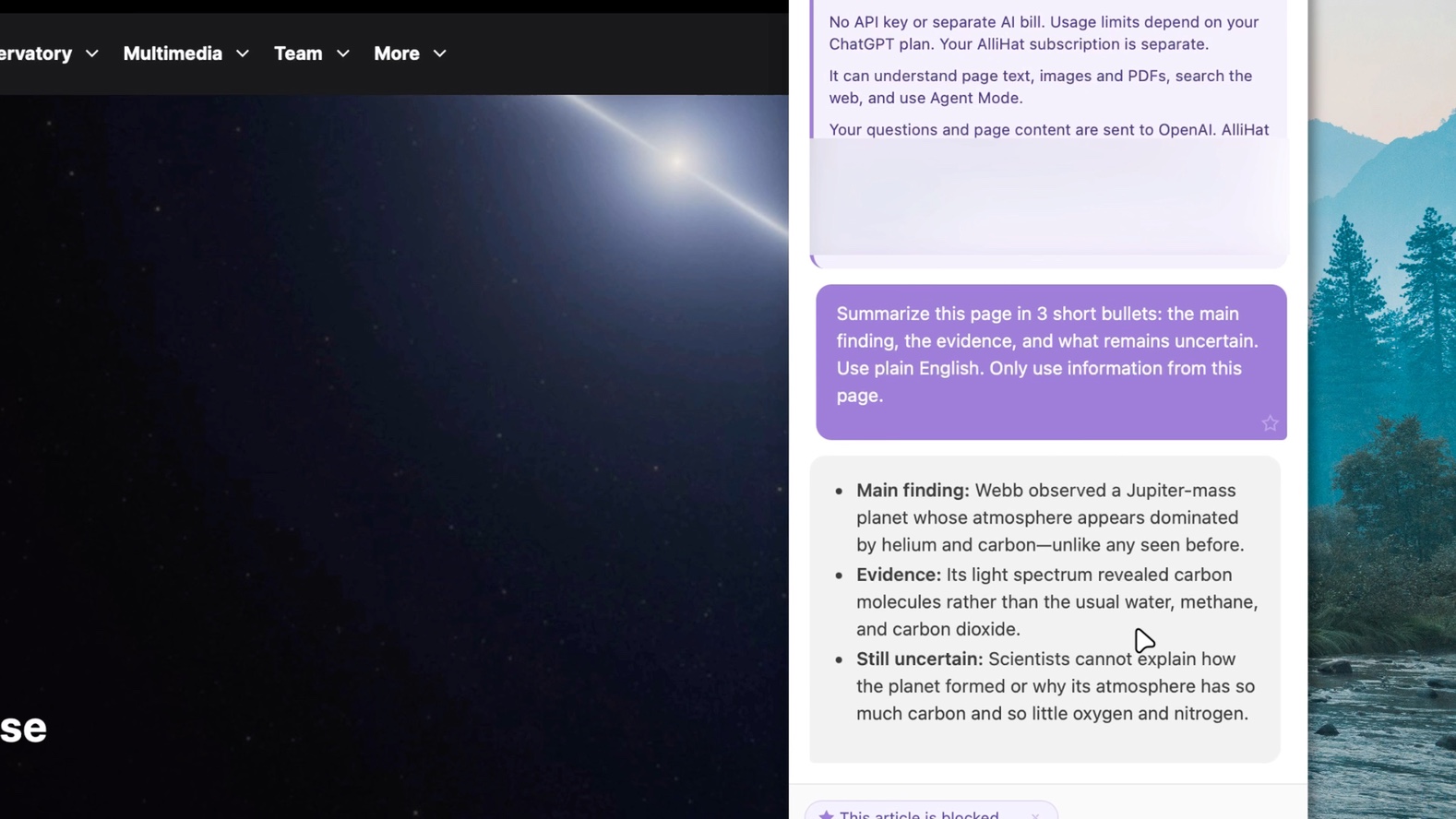
Summarize this page in 3 short bullets: the main finding, the evidence, and what remains uncertain. Use plain English. Only use information from this page.
Paste it into AlliHat and press Enter. In this example, the response identifies the unusual atmosphere, the light-spectrum evidence, and the unanswered question of how the planet formed.
Read the original passages before relying on an important detail. A concise answer can still omit context or make a mistake.
3. Ask about the part you do not understand.
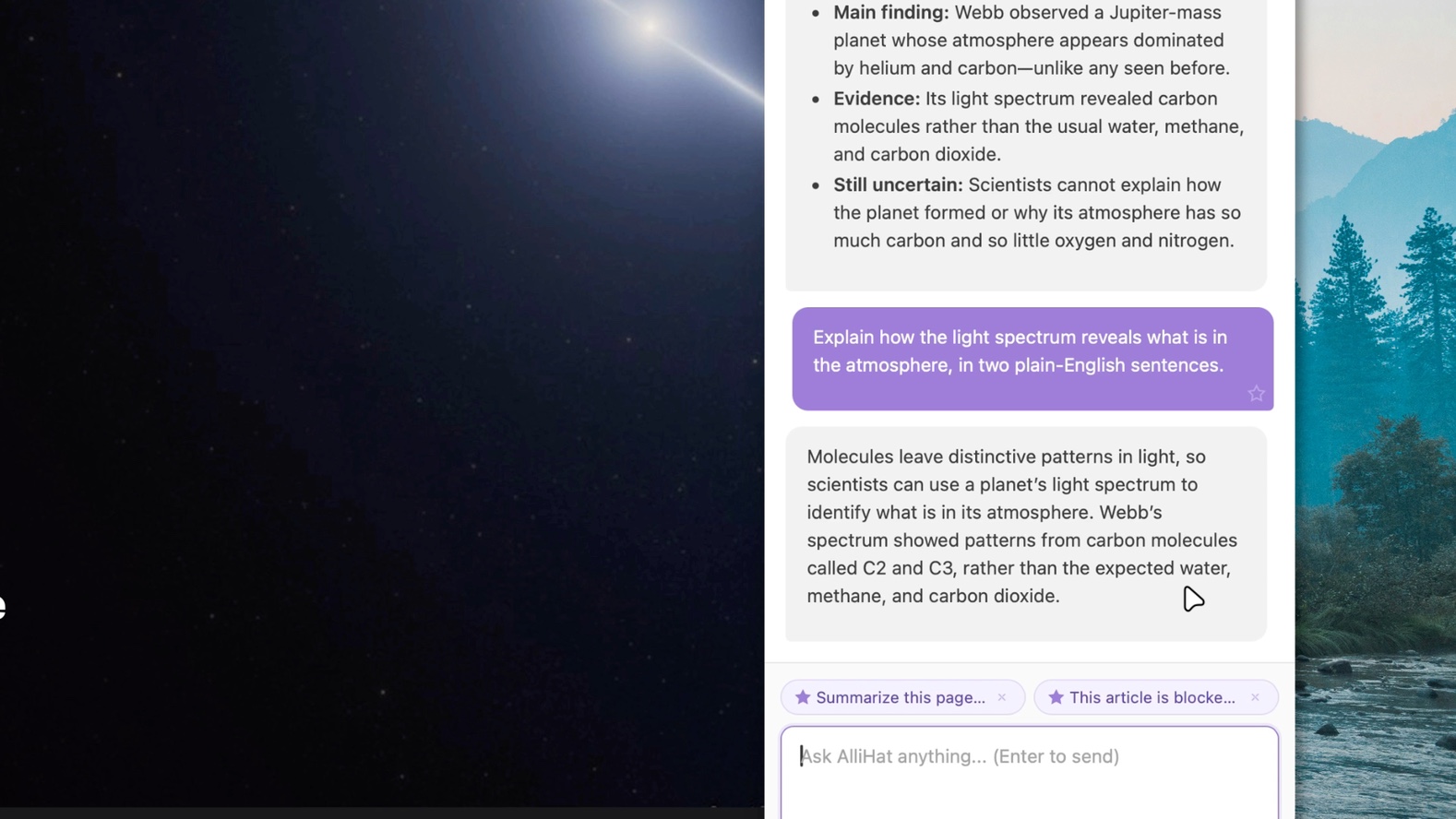
The summary mentions a light spectrum. We ask: "Explain how the light spectrum reveals what is in the atmosphere, in two plain-English sentences."
You can also ask "Which passage supports that?", "Explain the technical terms", or "What does the article leave unanswered?" If the answer adds background beyond the page, ask the AI to label it and provide a source.
4. Save your prompt. Use it on the next page.
Hover over the summary message you sent and click the star labeled Save as favorite prompt. It appears above the message box.
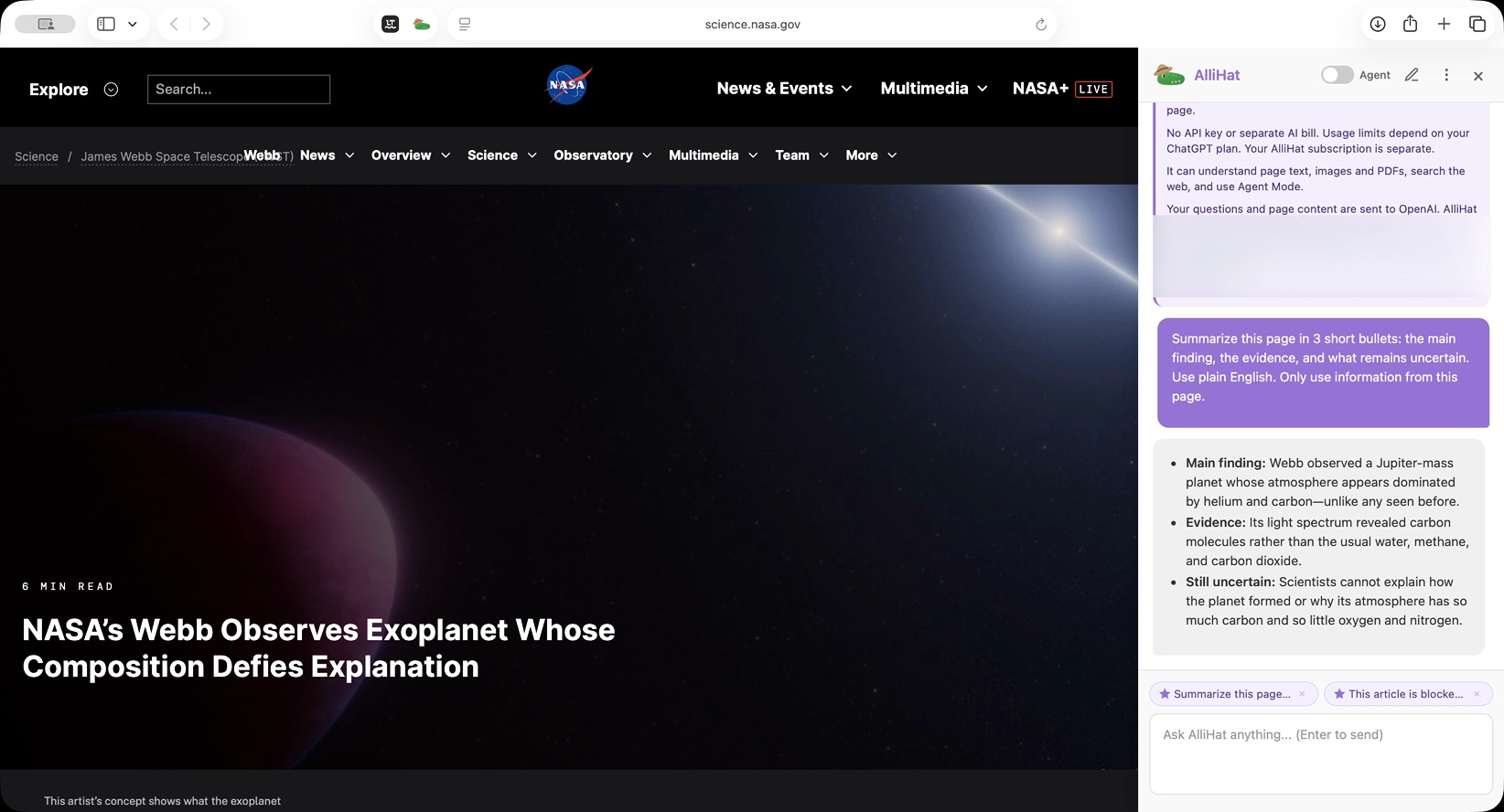
Open another article and open AlliHat. If the old conversation remains, start a new chat. Click your saved summary favorite. That click sends the prompt immediately with the current page context.
Our second example is NASA's Penguin and Egg galaxies article. The same prompt now produces a summary of the interacting galaxies, their infrared images, and the approximate timeline.
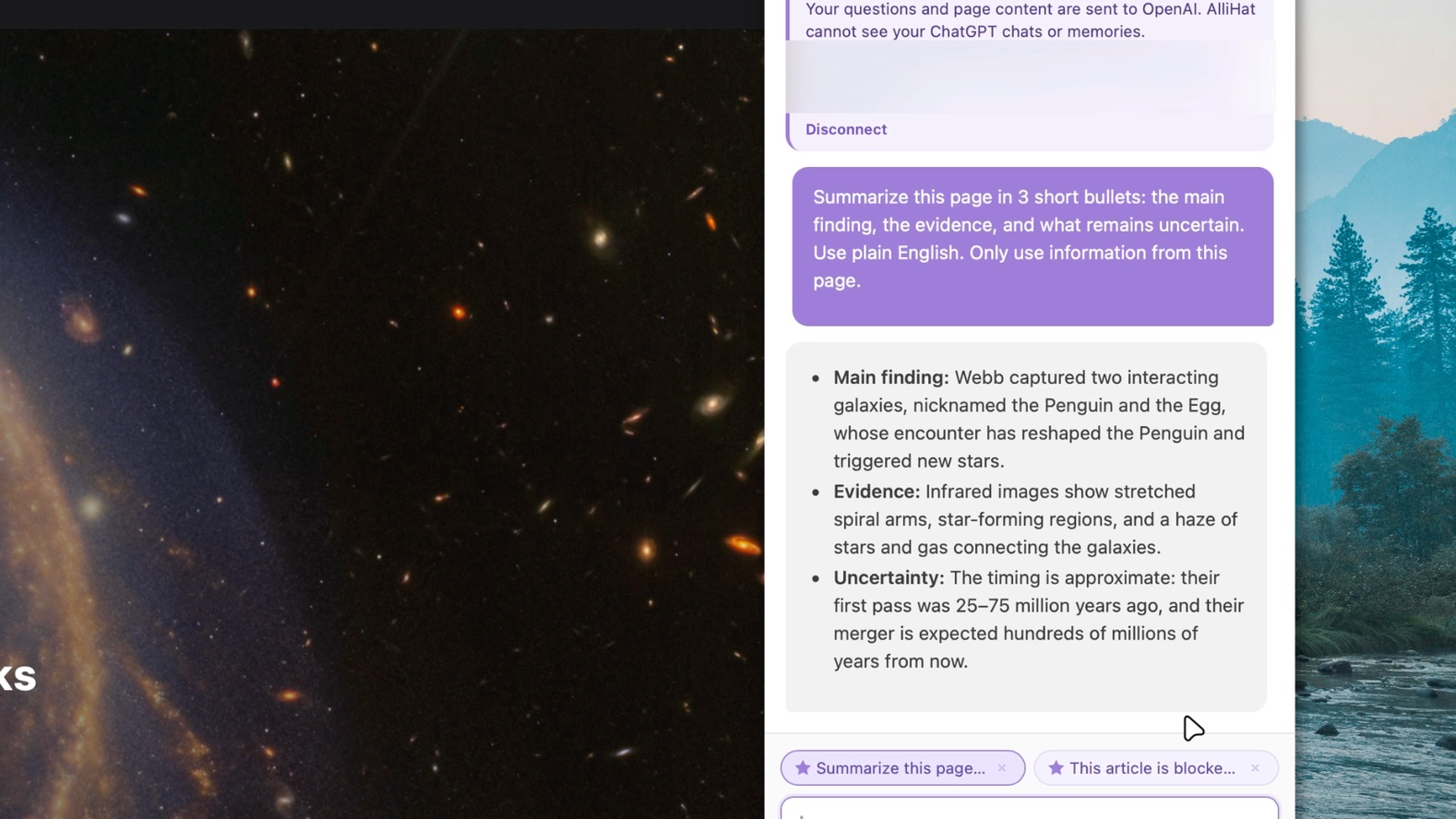
Keep "this page" in your saved prompt rather than a specific article title. You can customize it for your own reading: add "explain acronyms" or "write the summary in Spanish", for example. Check the result before making a prompt part of your routine.
Questions about Safari webpage summaries
Can ChatGPT summarize the webpage I am reading in Safari?
With AlliHat, you can send the page context with your question from a sidebar. The demo uses ChatGPT sign-in. Simply pasting a URL into a separate chat may produce a different result if that service cannot access the page.
What if Safari's Summarize button is missing?
Check Apple's requirements and whether the page supports Reader. You can also try AlliHat's page-context workflow without Reader mode. It still needs access to useful page content; a missing native button does not guarantee an extension can read everything.
Can it summarize every webpage or an entire Reddit thread?
Do not assume it can see every part of a page. Collapsed comments, embedded content, very long pages, and content that has not loaded can be incomplete. Load the relevant text and ask what the answer is based on. This demo verifies two public articles, not complete capture of every Reddit thread.
Can I summarize a PDF or a YouTube video?
Those need their own workflows. See summarizing a PDF in Safari and summarizing a YouTube video in Safari.
What about an article behind a paywall?
A summary needs access to the text. Our blocked-article guide shows a different workflow: research accessible original sources about the story. It does not unlock or reproduce the blocked article.
Do I need Apple Intelligence or an API key?
The ChatGPT sign-in workflow shown here does not need Apple Intelligence or an API key. AlliHat requires macOS 14 or later. Other provider options have their own setup and usage costs.
Is this available on iPhone or iPad?
This tutorial is for AlliHat in Safari on Mac.
Make your next long article easier to understand.
Try AlliHat for 7 days, then $29.99 a year. Your AI account limits or provider usage costs are separate.